






Transform your CodyChat platform into a thriving Digital Marketplace!
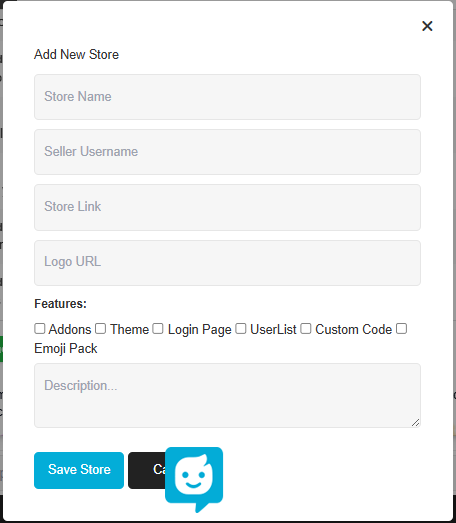
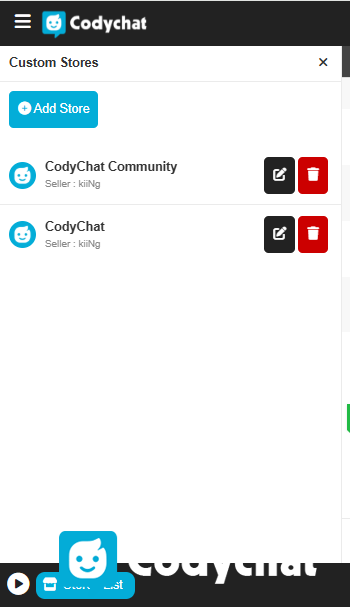
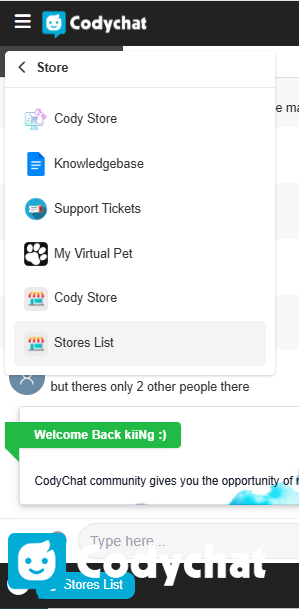
Custom Store Manager is a premium addon designed to showcase third-party developers, vendors, and service providers within your chat community. The standout feature is its seamless Frontend Management System—say goodbye to the hassle of navigating the Admin Panel. You can now manage, add, and edit vendor listings directly from the chat interface.
Whether you are promoting themes, addons, or custom coding services, this addon serves as the bridge between your users and the right sellers.
Key Features
🚀 Complete Frontend Management: Admin/Staff can add, edit, or delete store listings directly from the chat panel.
📱 Interactive Modal Interface: Store details open in a beautiful, responsive popup modal, keeping users engaged without leaving the chat screen.
🏷️ Dynamic Category Tags: Categorize listings with professional tags such as Addons, Themes, Login Pages, UserLists, Custom Codes, and Emoji Packs.
💬 One-Click Seller Contact: Integrated "Contact Seller" button that instantly opens a private message (PM) window with the vendor.
🔗 External Store Linking: Each vendor listing includes a "Visit Store" button to redirect users to external portfolios or payment pages.
🖼️ Custom Branding: Option to set a unique Logo URL for every store to maintain a professional look.
🛡️ Built-in Safety Disclaimer: Protect your platform with an integrated Third-Party Disclaimer to minimize liability regarding external payments.
🔒 Smart Input Validation: A secure entry system that prevents empty submissions and ensures data integrity.
⚡ Optimized Performance: Built on CodyChat’s core structure (
config_addons), ensuring zero lag and lightning-fast loading speeds.
Technical Specifications
Compatibility: Fully compatible with the latest CodyChat versions.
Technology Stack: PHP, MySQLi, jQuery Ajax.
Installation: Ultra-fast 1-minute setup (Upload and run
install.php).
Create an account or sign in to leave a review
There are no reviews to display.